Kickflip chargesper sale.Yours shouldn't.
Kickflip is a capable configurator. The problem for a growing brand isn't capability — it's that the tool never becomes yours, and the better your custom products sell, the more the configurator costs you.
At a glance
- Model
- Hosted SaaS configurator embedded in your product page
- Listed price
- $59/month plus 1.95% to 0% per custom product sold
- Add-on
- Configure-Price-Quote from +$49/month
- Shopify rating
- 4.6 from 136 reviews (App Store listing)
- Strengths
- Live multi-view preview, live coloring, multi-component products, dependencies/logic, print-ready files, API access
- Trade-off
- Transaction fees scale with your success; you never own the front end
The short answer
What's the best alternative to Kickflip on Shopify?
Short answer: if custom products are a real share of your revenue, the strongest alternative to Kickflip is a customizer you own outright. Kickflip is a capable hosted configurator at $59/month plus 1.95% to 0% of every custom product sold — so the better it works, the more it costs. GETACUSTOMIZER builds the same class of experience — live preview, multi-component builds, conditional logic, dynamic pricing, production-ready output — directly into your Shopify theme as an editable section, for one fixed project fee with no per-order cut and nothing to renew.
The case for owning it
Why brands leave Kickflip for a build they own.
- 01
Your growth stops funding the tool
A percentage of every custom order is a tax on the exact thing you're trying to scale. A one-time build costs the same whether you sell ten units or ten thousand, so the upside of a good quarter stays with you.
- 02
You own the asset, not a licence
At launch you get the code, the documentation and a walkthrough. There is no plan to renew, no vendor who can change the terms, and no version of your storefront that stops working because a subscription lapsed.
- 03
It lives inside your theme, editable by your team
The customizer is a native, manageable theme section — not a third-party embed. Your merchandiser can change options, copy and pricing rules without a developer and without logging into someone else's dashboard.
- 04
Designed by a CRO strategist, not configured from a template
Almost 20 years of DTC UX and conversion work goes into the decision path itself: how many steps, what's visible on a phone, how price changes are communicated, where shoppers hesitate. That's the part a template can't give you.
The honest read
What Kickflip actually is
Kickflip (formerly MyCustomizer) is a hosted visual product configurator for Shopify and other platforms, built in Canada. Shoppers build a product from components with a live preview across multiple views, and the vendor's admin tool handles coloring, logic, and print-ready output.
It is a strong fit for brands that want a configurator running quickly without a build. It is a rental: the experience is served by Kickflip, priced monthly, and priced again as a percentage of every custom product you sell.
Checked September 2026
Side by side
Kickflip vs. a customizer you own.
Replacing Kickflip?
Tell me what your customer has to choose.
One discovery conversation, a fixed price, and an honest answer on whether a build is the right move. No discovery fee.
Not a sales pitch
When Kickflip is the better call
If one of these describes you, I'll tell you to stay where you are. A build that shouldn't exist is bad for both of us.
- You need something live in days and have no appetite for a discovery and design cycle.
- Your configurator needs are generic enough that a template genuinely fits, and you'd rather pay monthly than once.
- You want a vendor on the hook for hosting, updates, and support instead of owning the code.
Next
Moving off Kickflip
- 01
Audit what you actually use
Most brands run a fraction of the app's feature set. We list the options, rules, and pricing logic that genuinely matter to your orders.
- 02
Rebuild it to spec
The replacement is designed to your products and signed off before production code — including the edge cases the app made you work around.
- 03
Cut over and cancel
The new customizer goes live in your theme, order data keeps flowing to fulfillment, and the subscription and transaction fees stop.
Examples
Live in the wild.
Real storefronts running custom customizers. Open any of them and configure a product the way a customer would.
 Jewelry
Club Coastal
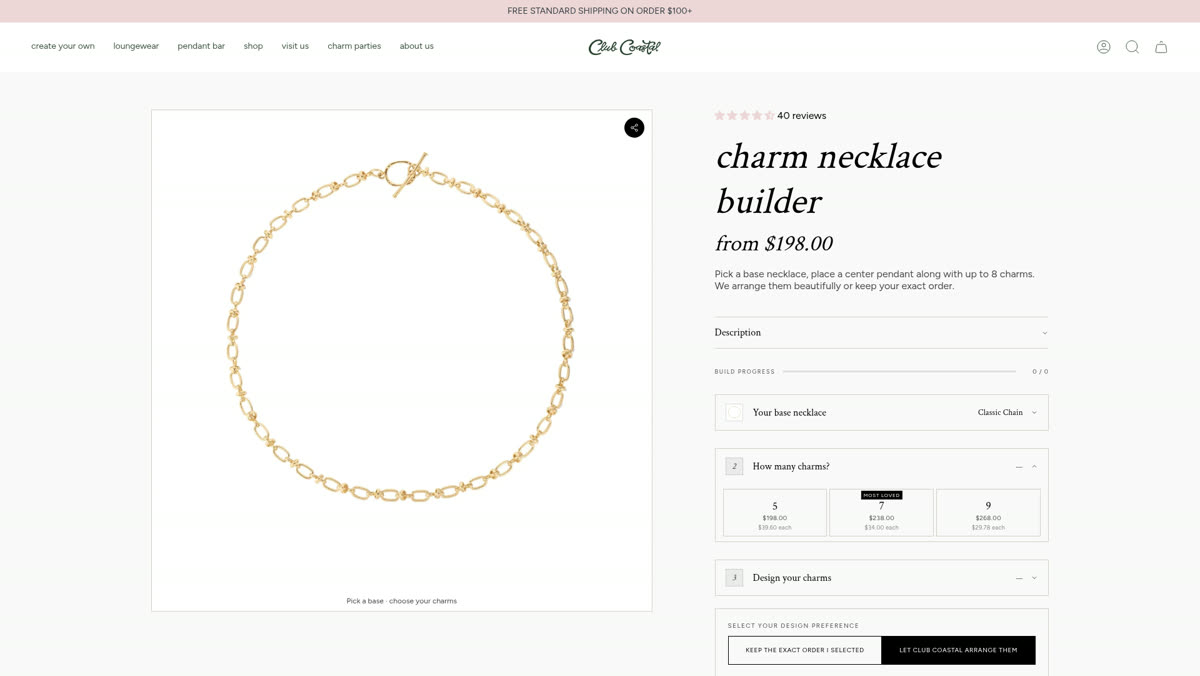
Charm necklace builder
Pick a base chain, place a center pendant, then build up to eight charms — with live pricing per charm count and a choice of arrangement.
 Jewelry
Club Coastal
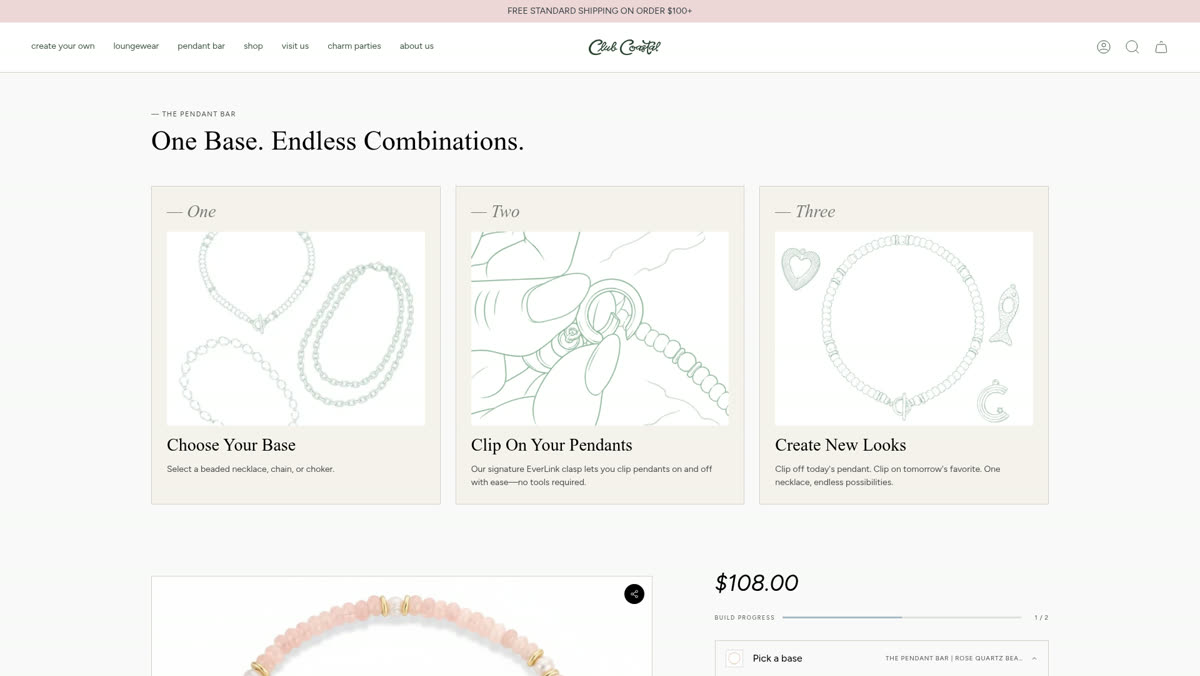
Pendant bar
A browsable pendant bar that lets customers mix and match pieces into their own combination before adding to cart.
 Jewelry
And Livy
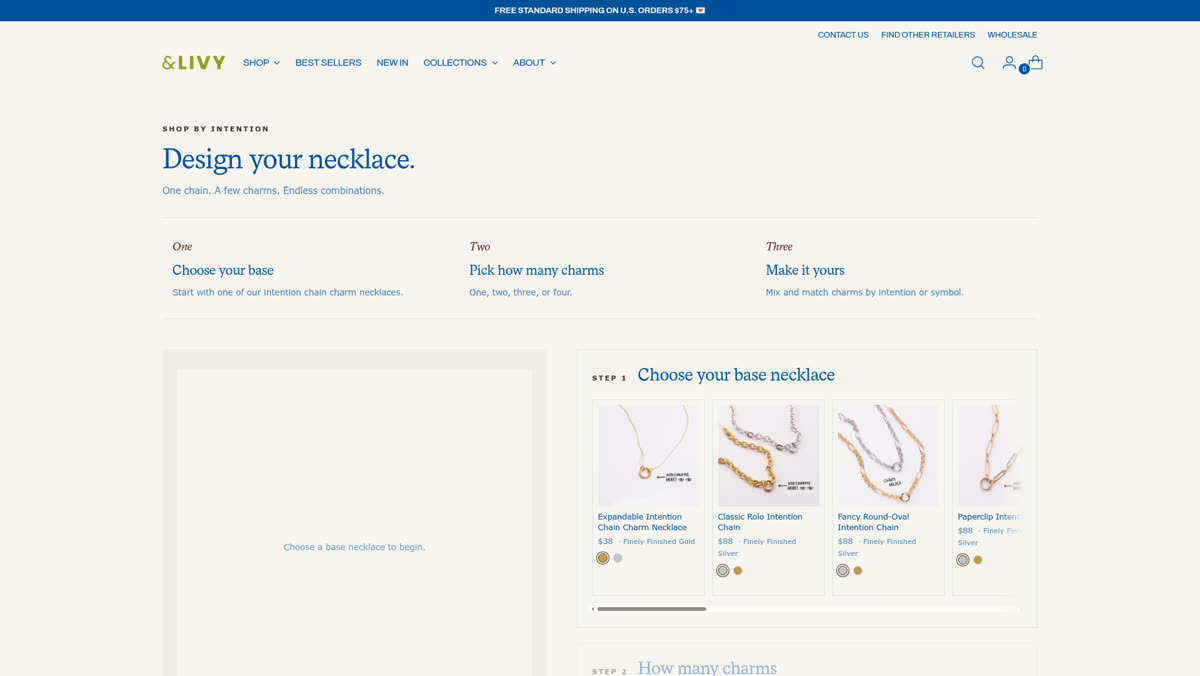
Design your charm necklace
A guided design flow for charm necklaces — chain, placement, and charm selection resolved into a single made-to-order item.
 Luggage
Roam Luggage
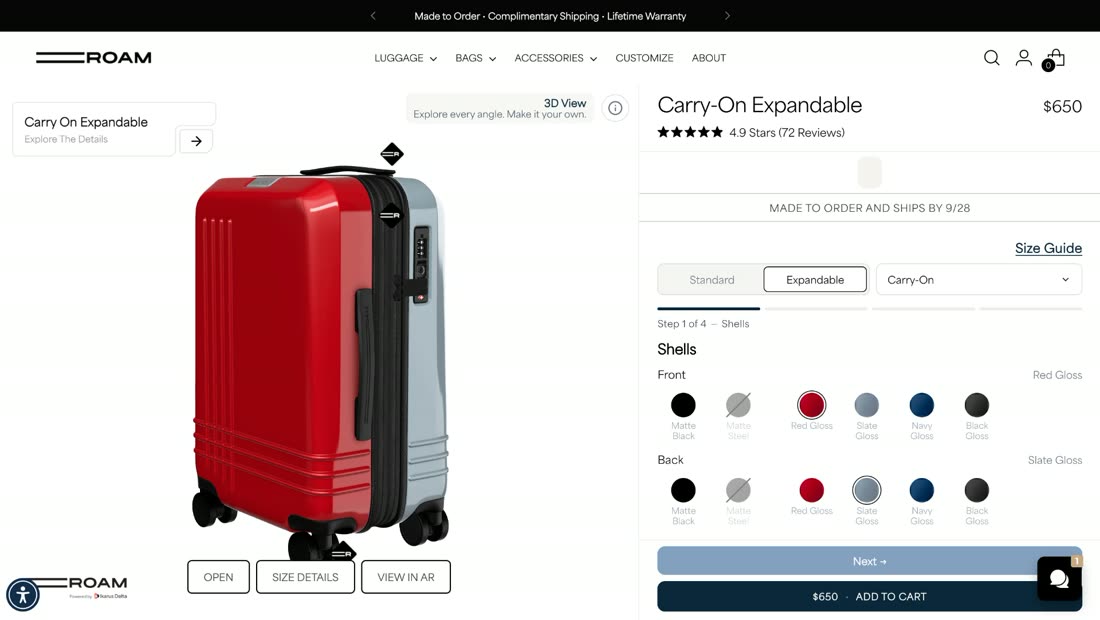
Build-for-you carry-on
A multi-step configurator for shells, zipper, trim, wheels, binding, and handles — shareable via URL and priced live.
 Quiz
Roam Luggage
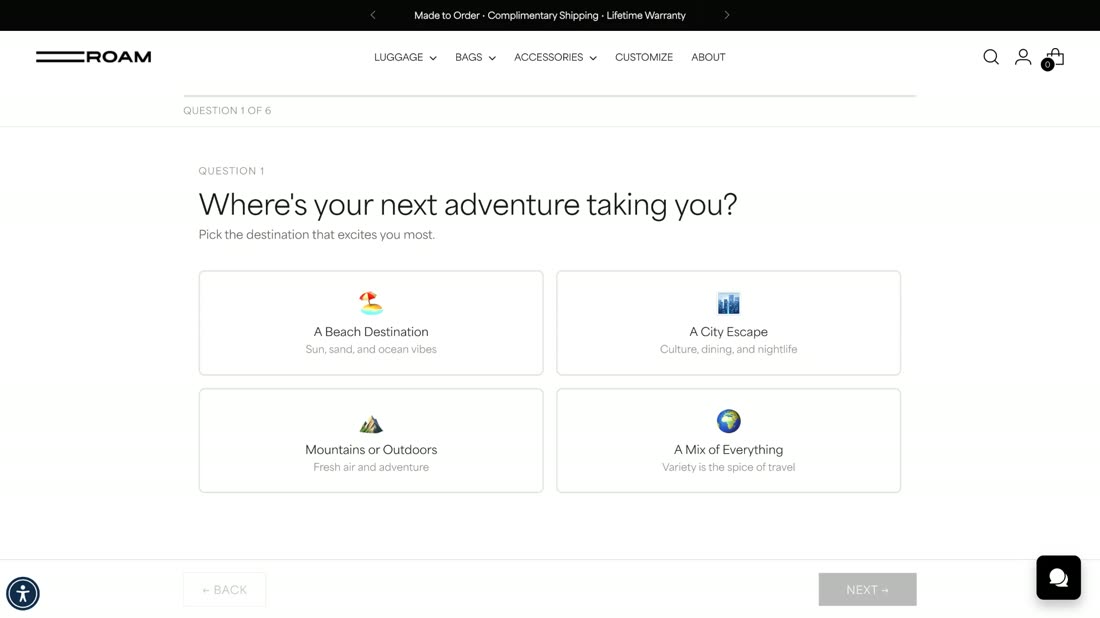
Custom case quiz
A six-question guided quiz that reads travel style and destination, then routes the shopper to the case configuration that fits.
 Jewelry
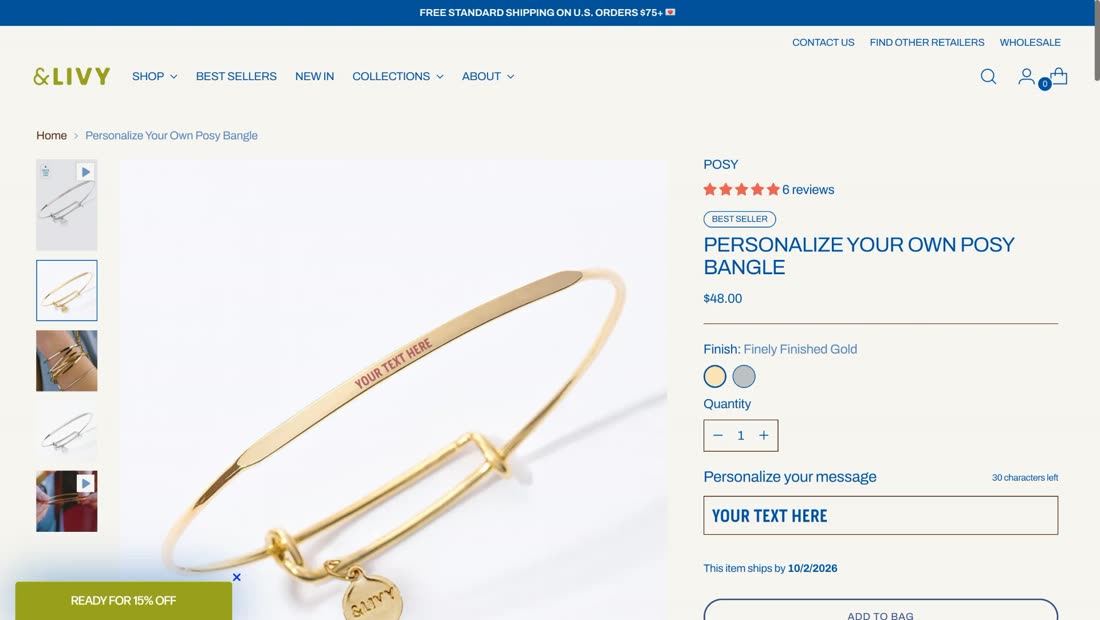
And Livy
Stack builder
Personalized bangles built to stack — finish selection, live engraving preview with a character limit, and made-to-order handling in the theme.
 Collectibles
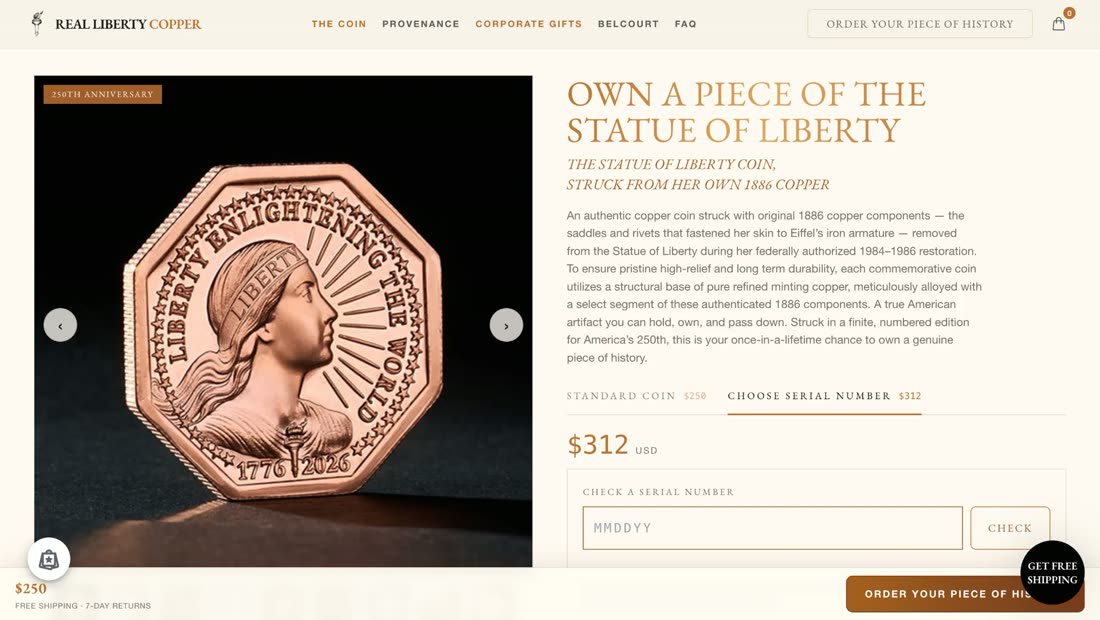
Real Liberty Copper
Custom coin experience
A collector's flow for a numbered edition — standard or choose-your-serial, a serial number lookup, and price switching inside the product page.
Process
The 14-day cycle
Days, not months.
Business days, measured from the end of discovery — not the six-month custom build you've been quoted elsewhere. One person owns strategy, design, and development, so nothing waits in a queue.
- 01Day 0
Discovery
We map your products, options, pricing rules, and the exact path a customer takes to a confident order.
- 02Days 1–4
Design to spec
Interface designed to your brand — not a themed template. You sign off before a line of production code.
- 03Days 5–11
Build
Developed and installed in your theme as an editable, manageable section your team can control.
- 04Days 12–14
QA & launch
Device and browser testing, cart and order-data checks, edge cases, then a controlled launch.
- 05After launch
Handoff
You get the code, documentation, and a walkthrough. It's yours — no license, no subscription.
Questions
About Kickflip.
Questions brands ask first
Start a project
Tell me what your customer has to choose.
Send a few details and I'll come back with an honest read: whether a custom customizer is the right move, what it would take, and a realistic timeline. No pitch deck, no discovery fee.
Two short steps. Contact details come last.